3. Business Apps
3.1 Switch between private and business apps
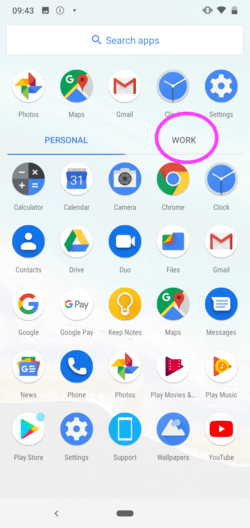
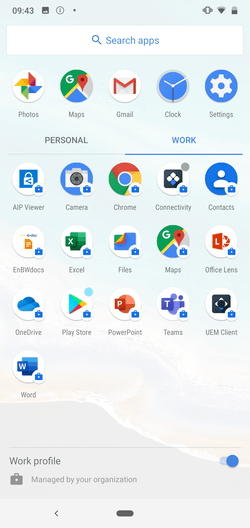
Switch to the app overview by swiping up from the bottom of the start screen. The private apps will appear. Tap the WORK tab.
Hint
This point in particular may vary depending according to your device model and Android version! Please check on your device, whether there are links such as "workspace", "business" or similar. Some Android versions label business apps with a small briefcase on the app icon in the app overview.
3.4 Introduction to Android work profile
If needed, you can find detailed instructions to Android work profile here.